Website profiles · Technology insights · Alternatives

websynths.com

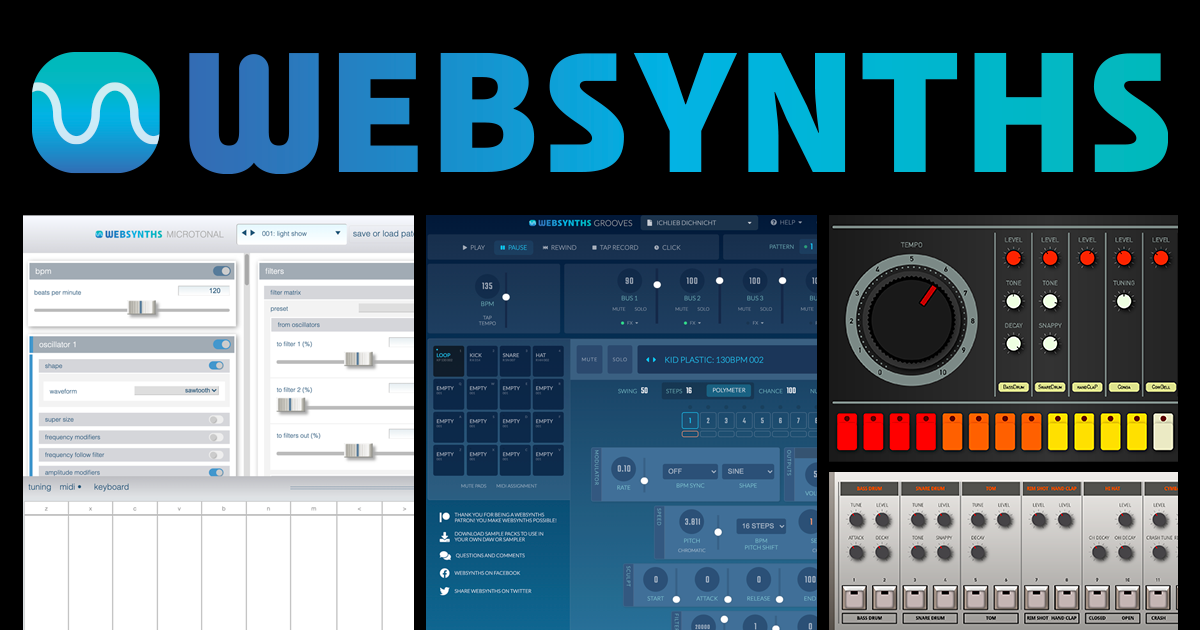
WebSynths is a FREE collection of browser-based musical instruments including a drum machine and full-featured polyphonic synthesizer

No paid content found
Visit website
Profile views 10 Outbound visits 3 Normal
WebSynths Full homepage screenshot

At a glance

Category
Music & Audio
Language
English
Paid-content signal
No paid content foundObserved
Registered
2014
Hosting
New Dream Network, LLCInferred
HTTPS certificate trusted
PassedObserved
Last updated

Website review

This review may include AI-generated content and is not individually verified. Domain, certificate and other facts come from the observed data on this page.

What is WebSynths?

WebSynths is a free collection of browser-based musical instruments and sound tools. You open the site and play directly in your browser, without installing a DAW or buying hardware. The name covers several distinct tools rather than one single instrument:

  • WebSynths Grooves — described as an "internet beat box," i.e. a drum machine or groove tool.
  • WebSynths Microtonal — described as "the deepest internet synthesizer," suggesting a full-featured polyphonic synth with microtonal tuning support.
  • WebSynths Samples — downloadable sound packs, described as "fresh sounds, free to download."

There is also WebSynths Chat, plus a Facebook page, a YouTube channel and an email contact, so it functions as a small community around the tools as well as a set of instruments.

Who it suits: hobbyists, students, teachers and anyone who wants to sketch an idea or try synthesis on a laptop or Chromebook with no setup. It is less suited to someone who needs a full production environment — these are standalone browser instruments, not a DAW.

A practical next step: if you want to try synthesis, start with WebSynths Microtonal; if you want a quick beat, start with WebSynths Grooves. For broader browser-based music-making, WebSynths is a reasonable first stop, while Ableton covers the full production side if you later need recording and arrangement.

How do I start using WebSynths Grooves as a drum machine?

Open WebSynths Grooves in a modern desktop browser and treat it as a step sequencer: pick or load a kit, place hits on the grid, set tempo, then press play. There is no install step, which is the main reason to choose it for a quick beat sketch. The site also links a five-minute quickstart video for Grooves, so watch that first if the grid layout is not obvious.

H3 Practical first session

  1. Open the Grooves page and press play with the default pattern to hear the stock kit.
  2. Mute or solo individual rows to learn which sound sits on which lane.
  3. Build one bar: kick on the main beats, snare on the backbeats, then add hats last.
  4. Change tempo and pattern length before adding more layers, so you are not rebuilding later.
  5. When the loop works, decide whether you need to export or whether you will only play it live in the browser.

H3 Who this suits

  • Beginners and teachers: nothing to install, so a shared link or a projector is enough.
  • Songwriters: useful for a fast rhythmic idea you will later recreate in a DAW.
  • Producers: fine for sketching, but check export and saving options yourself before relying on it for finished work.

H3 Trade-offs to weigh

  • Browser-based means your session depends on the tab staying open and the connection staying stable.
  • A free, patron-supported tool can change or pause; download any samples you want to keep rather than assuming they stay available.
  • If you need deep mixing, automation or plugin hosting, plan to move the pattern into a full DAW.

A sensible next step: sketch an eight-bar loop in Grooves, then compare it with a dedicated browser drum machine such as Drumbit or a full DAW-based option, and keep whichever fits how you actually finish music.

Can I download and use WebSynths Samples in my own music productions?

Yes. WebSynths Samples is described as "Fresh sounds, free to download," so the intended use is to grab the sounds and work them into your own productions. The site also points to a video walkthrough on making one of its packs, which suggests the samples are meant to be auditioned, shaped and dropped into a DAW rather than only streamed in the browser.

H3 Practical workflow

  • Browse the Samples section, download the packs you want, and keep them in a dedicated folder so you can find them later.
  • Treat them as raw material: chop, pitch, layer and process them like any other one-shots or loops.
  • Credit is not the point of the tool, but if you release something built heavily around a pack, a quick mention is a courteous habit.

H3 What to check before you rely on it The page says the sounds are free to download, but it does not spell out a formal licence for commercial release. If you plan to sell a track or a sample-based product, confirm the terms with the site directly at [email protected] before you commit. For personal sketches, demos and non-commercial tracks, the download-and-use intent is clear enough.

H3 Where it fits This is a good fit if you want quick, free texture without installing a full instrument, especially if you already use the browser tools at WebSynths. If you need guaranteed clearance for a commercial library, look at sources with explicit licence pages instead, or ask WebSynths first.

Next step: open the Samples page, download one pack, and test it in a short arrangement to see whether the character suits your track before building a whole project around it.

What makes WebSynths Microtonal different from standard browser synthesizers?

WebSynths Microtonal is built for tuning systems beyond the familiar 12-tone equal temperament, rather than being a general-purpose synth that happens to run in a browser.

Where it differs

  • Tuning is the point, not a setting. Standard browser synths typically assume 12 equal semitones and may offer only global pitch bend or detune. WebSynths Microtonal is presented as a dedicated microtonal instrument, so alternative scales and non-standard intervals are central to how you play it.
  • It suits exploration, not just imitation. If you want to write in just intonation, historical temperaments, or custom interval sets, a 12-TET-first synth often fights you. A microtonal-first instrument is the more natural place to start.
  • It is one tool in a small suite. The same site also offers a drum machine (WebSynths Grooves) and downloadable samples (WebSynths Samples), so you can pair pitched microtonal work with beats and free sound material without leaving the browser.
  • Browser access lowers the barrier. No install is needed, which matters if you want to try a tuning idea on a borrowed computer or share a link with a collaborator.

Trade-off to expect

Microtonal instruments reward players who already have a tuning goal. If you mainly need conventional pop or dance production in 12-TET, a standard browser synth or your DAW's built-in instruments will be faster. Choose WebSynths Microtonal when the intervals themselves are the experiment.

Practical next step

Open WebSynths and start with the Microtonal instrument alongside the Grooves quickstart video, so you have a rhythmic reference while you adjust to unfamiliar intervals. If you need free source material for a piece, grab a pack from WebSynths Samples first, then layer the microtonal synth over it.

Do I need to pay or create an account to use WebSynths?

No. WebSynths is described as a free resource for any musician with internet access, and nothing on the page requires a login, signup or payment. You can open a tool and start playing; the site is supported by patrons rather than by charging users.

The practical trade-off is that a free, patron-supported project can change or disappear over time, so don't treat it as your only copy of anything important. If you record something you like, download or export it locally rather than relying on the browser session.

A quick way to test it: pick one tool and give yourself five minutes. For beats, start with WebSynths Grooves; for downloadable sounds, try WebSynths Samples; for synthesis, use WebSynths Microtonal. If it fits how you work, supporting the project through the Patreon link on the site is optional, not a condition of access.

How can I get help or connect with other WebSynths users?

WebSynths points users toward a few community and support routes: a WebSynths Chat space, plus its own pages on Facebook and YouTube. The site also lists a contact email, [email protected], for direct questions.

For most people, the practical order is:

  • Quick questions or troubleshooting: try WebSynths Chat first, since other users may have hit the same issue.
  • Tutorials and walkthroughs: the YouTube presence is the better fit if you want to see a feature demonstrated rather than described.
  • Direct contact: use the email address for account, content or site-related matters that don't suit a public chat.

If you're mainly looking for sounds rather than conversation, WebSynths Samples offers downloadable material, and WebSynths Grooves is the beat-making side. Neither is a help channel, but browsing them can answer "how do I get started" faster than asking.

A useful next step: open WebSynths Chat and search for your instrument or feature by name before posting — a lot of beginner questions repeat, and existing threads often save time. If nothing turns up, post with your browser, operating system and what you already tried; that detail is what makes a reply possible.
Related questions

More questions →
What Is the Difference Between WebSynths Grooves, Samples, and Microtonal?

WebSynths bundles three separate browser tools with different jobs: Grooves is a beat-making tool (the site calls it "the internet beat box"), Samples is a download library of free sounds, and Microtonal is a full synthesizer for deeper sound design. Pick Grooves to build rhythms, Samples to grab audio files, and Microtonal to shape your own tones — you can use any of them on their own or combine them.

The three tools at a glance

Tool What it is Best for What you get out of it
WebSynths Grooves A browser-based beat box Making beats and rhythmic patterns A place to program and play drum/beat patterns in the browser
WebSynths Samples A free sound library Collecting raw audio to use elsewhere Downloadable sound packs (e.g. the "Distorted Nines" pack)
WebSynths Microtonal A full-featured polyphonic synthesizer Deep sound design and tuning experiments A synthesizer you play and shape directly in the browser

All three live under the same WebSynths site, so you reach them from the same place rather than signing up for separate services.

WebSynths Grooves: for beats

Grooves is positioned as "the internet beat box." If your goal is to lay down a rhythm — a drum pattern, a loop, a quick beat idea — this is the tool to open. The site also provides a 5 Minute Quickstart video for Grooves, which suggests it's meant to get you making a beat quickly rather than configuring a complex instrument.

Choose Grooves when:

  • You want a rhythm or beat first, not a melody or pad.
  • You want something fast to start, with a short guided intro.
  • You're sketching an idea and don't need to download files.

WebSynths Samples: for sound files

Samples is described as "fresh sounds, free to download." This is the resource-oriented part of the site: instead of playing an instrument in the browser, you're collecting audio to use in your own projects. The site references a specific pack, "Distorted Nines," and has a video showing how that pack was made.

Choose Samples when:

  • You need audio files you can keep and use elsewhere.
  • You want to browse packs rather than play a live instrument.
  • You're building a sound library and want free material to start from.

Note that the site describes Samples as free to download; it doesn't state any login or payment requirement for the downloads themselves.

WebSynths Microtonal: for deep synthesis

Microtonal is described as "the deepest internet synthesizer" and is a full-featured polyphonic synthesizer. That combination — polyphonic plus microtonal — points to sound design and tuning work rather than quick beat-making. If you want to build a patch, explore non-standard tunings, or play chords with custom intervals, this is the tool.

Choose Microtonal when:

  • You want to design your own sounds rather than use preset beats or files.
  • You care about tuning and intervals beyond standard equal temperament.
  • You want a polyphonic instrument you play live in the browser.

How to decide

Ask what you're missing:

  • "I need a rhythm." → Grooves.
  • "I need audio files." → Samples.
  • "I need to design a sound." → Microtonal.

They aren't mutually exclusive. A common workflow is to pull sounds from Samples, build a beat in Grooves, and use Microtonal for the melodic or textural parts — each tool covers a different stage rather than competing for the same one.

Practical notes before you start

  • Everything runs in the browser. The site frames itself as "a free resource for any musician with internet access," so a modern browser and a connection are the baseline requirements.
  • Free, but patron-supported. WebSynths states it is free and "made possible by support from our patrons," with a Patreon link for those who want to contribute. Free access doesn't depend on donating.
  • There's a chat and community side. The site lists WebSynths Chat plus Facebook, YouTube, and an email contact, useful if you get stuck or want to see what others are making.
  • Start with the quickstart if you're new. The Grooves quickstart video is the shortest path to a first result; the Samples video is more about how a pack was produced than how to use the tool.
What Is WebSynths?

WebSynths is a free collection of browser-based musical instruments and tools for musicians. According to the site, it includes a drum machine, a full-featured polyphonic synthesizer, a microtonal synthesizer, downloadable sample packs, and a chat space. You only need internet access and a browser — no software installation is mentioned. The project is supported by patrons via Patreon, so while it is described as free, consider supporting it if you find it useful.

What you can use on WebSynths

The homepage lists several distinct tools:

  • WebSynths Grooves — described as "the internet beat box," a browser-based drum machine.
  • WebSynths Samples — a collection of sounds that are free to download.
  • WebSynths Microtonal — described as "the deepest internet synthesizer," aimed at microtonal work.
  • WebSynths Chat — a chat area connected to the project.
  • WebSynths — the main polyphonic synthesizer referenced in the site description.

There are also quickstart videos for Grooves and Samples, plus links to the project's Facebook, YouTube, and email contact.

Who it is for

WebSynths suits musicians who want to sketch ideas, make beats, or explore synthesis without installing a DAW or plugin. Because everything runs in the browser, it is also convenient on shared or limited machines. If you need offline access, deep integration with a DAW, or guaranteed long-term availability, a browser tool may not be the right fit.

How to get started

  1. Open websynths.com in a modern browser.
  2. Pick a tool from the navigation — for example, Grooves for beats or Microtonal for synthesis.
  3. If you are new, watch the linked quickstart video for that tool before diving in.
  4. For Samples, download the packs you want and import them into your own software.

The expected result is a playable instrument or a set of audio files, depending on which section you use.

Practical considerations

  • Free but patron-supported. The site states it is free and made possible by Patreon supporters. No pricing or payment details are given beyond that.
  • Browser-based. Performance and features depend on your browser and machine; no system requirements are listed.
  • Actively maintained. The footer shows a copyright range through 2023, and the site links to social channels and an email address for contact.

If you want a zero-install way to try a synthesizer or drum machine, WebSynths is worth a visit. Start with the quickstart video for the tool that matches your goal, then decide whether to incorporate it into your workflow.

How to Get Started with WebSynths in Your Browser

Open websynths.com in any modern browser and you can start making music immediately — no download, install, or account required. The site is a free collection of browser-based instruments, and the fastest entry points for a first session are WebSynths Grooves (a beat box) and WebSynths Samples (downloadable sounds). If you want to understand the tools before touching them, watch the two quickstart videos linked on the homepage first.

What you can use right away

The homepage lists four main tools plus a chat space:

Tool What it is Best for
WebSynths Grooves "The internet beat box" Building drum patterns fast
WebSynths Samples "Fresh sounds, free to download" Grabbing audio files for your own projects
WebSynths Microtonal "The deepest internet synthesizer" Full-featured polyphonic synthesis, including microtonal tuning
WebSynths Chat Community chat Asking questions, getting help

All of these run in the browser. The site describes itself as "a free resource for any musician with internet access," supported by patrons rather than paid tiers.

Step-by-step: your first 10 minutes

  1. Watch the Grooves quickstart. The homepage embeds a "WebSynths Grooves 5 Minute Quickstart" video. Five minutes is genuinely enough to see how patterns are entered and played back.
  2. Open WebSynths Grooves. Use the navigation at the top of the page. Start with a simple kick-snare pattern rather than trying to build a full track — the goal is to confirm audio works in your browser.
  3. Check your sound output. If you hear nothing, the usual culprits are a muted tab, system volume, or a browser that has blocked autoplay until you click somewhere on the page. Click once inside the instrument area, then trigger a sound again.
  4. Try WebSynths Samples next. This is the lowest-risk tool: you browse and download sounds rather than perform live. There's a second video on the homepage, "Making the Distorted Nines pack," showing how a sample pack comes together.
  5. Move to WebSynths Microtonal once the other two feel comfortable. It's described as the deepest of the instruments, so treat it as the step up rather than the starting point.
  6. Save the chat link. WebSynths Chat is the built-in place to ask questions when something doesn't behave as expected.

What you need before starting

  • A browser with working audio. No specific browser is named on the site, so use whatever you normally run and confirm sound plays elsewhere first.
  • A stable internet connection. Everything is delivered over the web; there's no offline mode mentioned.
  • Headphones or speakers. Obvious, but the most common "it's broken" report in browser instruments is a routing problem, not a software one.
  • No payment or signup. The site states it is free and patron-supported. Note that the homepage does not describe any paid tier, account system, or login — so don't expect saved projects tied to a profile.

Staying updated and getting help

The site points to several channels beyond the browser itself:

  • Facebook — WebSynths on Facebook
  • YouTube — WebSynths on YouTube (where the quickstart videos live)
  • Twitter/X — the homepage invites you to tweet about WebSynths
  • Email — [email protected]
  • Patreon — patreon.com/WebSynths, if you want to support the project

Common snags and how to read them

  • Silence on first load. Almost always autoplay blocking or a muted tab. Interact with the page, then retry.
  • Not sure which tool to pick. Grooves for rhythm, Samples for files, Microtonal for synthesis. Pick by what you want to end up with, not by which sounds most impressive.
  • Expecting your work to persist. Nothing on the homepage indicates cloud saving or user accounts, so plan to export or download anything you want to keep — Samples is explicitly built around downloading.
  • Confusion about cost. "Free" here means free to use, funded by patrons. That's a support model, not a trial.

If you only do one thing: open the site, watch the 5-minute Grooves video, and build one four-bar pattern. That single loop will tell you whether the browser-based approach fits how you like to work.

Is WebSynths Free to Use?

Yes. WebSynths describes itself as "a free resource for any musician with internet access." You can open the site in a browser and use its instruments without paying. The site also states that it is "made possible by support from our patrons," and it invites users to contribute through Patreon if they are able. So free access and optional patronage coexist: paying is a way to support the project, not a stated requirement for using it.

What "free" covers

According to the site's own description, WebSynths is a collection of browser-based musical instruments, including a drum machine and a full-featured polyphonic synthesizer. The homepage lists several distinct tools:

Tool What the site says about it
WebSynths Grooves "The internet beat box"
WebSynths Samples "Fresh sounds, free to download"
WebSynths Microtonal "The deepest internet synthesizer"
WebSynths Chat A community/chat entry point

Two of these descriptions explicitly reinforce the free positioning: the overall site is "a free resource," and the Samples section is described as "free to download." The Grooves and Microtonal sections are presented as instruments you use in the browser rather than as paid products.

Why the site asks for support

The homepage is direct about its funding model: "it is made possible by support from our patrons. Please consider helping if you can." A Patreon link is provided for that purpose. The wording matters here — "please consider" and "if you can" frame patronage as voluntary. Nothing on the page states that a payment, account, or subscription is needed to reach the instruments.

What the page does not say

The available page content does not include pricing details, tier lists, or payment requirements for the instruments themselves. It also does not describe login restrictions. Because the site only says it is free and supported by patrons, the safe reading is: use is free as described, and any payment is a donation-style contribution rather than a purchase of access. If you need certainty about a specific feature or future changes, check the site directly, since funding models can shift over time.

Practical takeaway

If your question is simply whether you can try WebSynths without spending money, the answer from the site's own text is yes — it is a free, browser-based resource for musicians with internet access. If you find it useful and want it to keep existing, the site points you to Patreon as the way to help.

What browser-based instruments and tools does WebSynths offer?

WebSynths is a free collection of browser-based musical instruments, and its main tools are WebSynths Grooves (a beat box/drum machine), WebSynths Samples (downloadable sound packs), and WebSynths Microtonal (a deep internet synthesizer). You can start with any of them directly in a browser; the site also links to a chat page and social channels for community and updates.

The main tools at a glance

Tool What it is Best for
WebSynths Grooves "The internet beat box" — a browser-based beat/drum machine Making beats quickly without installing software
WebSynths Samples "Fresh sounds, free to download" — sample packs Getting free sounds to use in your own projects
WebSynths Microtonal "The deepest internet synthesizer" — a full-featured polyphonic synthesizer Exploring synthesis and microtonal tuning in depth
WebSynths Chat A community/chat page Talking with other users and following the project

WebSynths Grooves

Grooves is described as "the internet beat box," so it is the entry point if you want to program or play beats in the browser. There is a "5 Minute Quickstart" video listed on the site, which suggests the intended workflow is short and approachable: open the page, follow the quickstart, and start building a pattern. If you are new to browser music tools, this is the most immediate place to begin.

WebSynths Samples

Samples is a library of "fresh sounds, free to download." The site also references a video about "Making the Distorted Nines pack," which indicates the packs are curated sound sets rather than a single generic download. Use this if you need source material for a DAW, a sampler, or another instrument rather than a self-contained instrument page.

WebSynths Microtonal

Microtonal is called "the deepest internet synthesizer," and the site describes WebSynths overall as including a "full-featured polyphonic synthesizer." That makes Microtonal the choice when you want more control over sound design and tuning rather than just beats or samples. Expect a steeper learning curve than Grooves, since "deepest" implies more parameters and options.

Community and supporting pages

Beyond the instruments, the site includes WebSynths Chat and links to Facebook, YouTube, and a contact address ([email protected]). These are useful for following updates, seeing demos, or asking questions — not for making music directly.

How to choose

  • Want to make a beat right now: start with WebSynths Grooves and its 5-minute quickstart.
  • Need sounds to use elsewhere: go to WebSynths Samples and download a pack.
  • Want to design synth sounds and explore tuning: open WebSynths Microtonal.
  • Want to follow or discuss the project: use WebSynths Chat or the linked social channels.

WebSynths is described as a free resource for any musician with internet access, supported by patrons via patreon.com/WebSynths. The site does not state that any tool requires an account or payment, so the practical requirement is simply a browser and an internet connection.

Website Overview

Identifiable technologies and additional version or configuration signals make the service easier to fingerprint, which may help targeted scanners narrow their checks. An established domain and managed infrastructure suggest continuity of operations and may support dependable delivery, although neither guarantees service quality.

Domain and Registration

Registered in 2014, this domain has about 12 years of history. That suggests continuity, although ownership and purpose may have changed. Transfer-protection status is present, helping reduce the risk of unauthorized domain transfers. The registrar is GoDaddy.com, LLC, a widely used domain service provider. The domain uses the common .com extension, which is not an independent safety signal.

DNS and Email

The observed email authentication setup is incomplete: DMARC is missing. The lowest TTL is 60 seconds, supporting rapid record changes at the cost of more frequent lookups. Nameservers are provided by dreamhost.com, indicating managed DNS hosting. MX records point to the mailchannels.net email service. No CNAME was found; the observed records resolve directly to addresses.

TLS and Certificates

The certificate uses an RSA 2048-bit public key, offering broad client compatibility. The server supplied a complete certificate chain. No organization name is present in the certificate; the available fields are consistent with domain validation. The certificate was issued by Let's Encrypt, commonly associated with automated certificate services. The certificate's total validity is about 89 days, consistent with a short renewal cycle.

HTTP and Browser Security

The response lacks these common security headers: HSTS, X-Content-Type-Options, Referrer-Policy, Permissions-Policy, clickjacking protection. No X-Powered-By header was found, reducing one common source of backend fingerprinting information. No obvious internal addresses or debug information were found in the headers. The Server header identifies Apache without an exact version. No explicit CDN or WAF marker was found in the response headers.

Technology Stack Analysis

The public page identifies WordPress 7.1.2, jQuery, Google Analytics, Apache, with exact versions exposed for 1 technologies. These details can narrow vulnerability checks, although exposure alone is not a vulnerability.

Search and Social Sharing

The Generator tag identifies WordPress 7.1.2, making the publishing system easier to fingerprint. Twitter Card metadata is configured. The title has 45 characters, within a common display range. A meta description is present, with 133 characters. The observed directives allow indexing and link following.

Hosting and Email

DNSdreamhost.com
HostingNew Dream Network, LLC
Emailmailchannels.net
Approximate IP geolocation (inferred; a CDN or proxy may differ from the origin server) United States flagAshburn, Virginia, United States Inferred 173.236.162.247

Registration details

RDAP / WHOIS

RegistrarGoDaddy.com, LLC
Registered2014-04-03
Expires2027-04-03
Domain statusclient delete prohibited、client renew prohibited、client transfer prohibited、client update prohibited
Nameserversns1.dreamhost.com、ns2.dreamhost.com、ns3.dreamhost.com
DNSSECunsigned

DNS records

DNS

TypeNameValueTTLPriority
Awww.websynths.com173.236.162.24760—
MXwebsynths.commx1.mailchannels.net600
MXwebsynths.commx2.mailchannels.net600
NSwebsynths.comns1.dreamhost.com14400—
NSwebsynths.comns2.dreamhost.com14400—
NSwebsynths.comns3.dreamhost.com14400—
TXTwebsynths.comv=spf1 mx include:netblocks.dreamhost.com include:relay.mailchannels.net -all60—

TLS and certificates

TLS / SSL

AssessmentNormal configuration
Supported protocolsTLSv1.2、TLSv1.3
Negotiated protocolTLSv1.3
Certificate subjectwww.websynths.com
IssuerLet's Encrypt
Valid until2026-11-20T07:32 · Remaining when checked: 46 days
Verification detailsCertificate trust: Passed · Hostname match: Passed

HTTP response headers

HTTP

HeaderValue
content-typetext/html; charset=UTF-8
cache-controlmax-age=600
serverApache
content-security-policyupgrade-insecure-requests;

Identified technologies

WordPress 7.1.2jQueryGoogle AnalyticsApache

Pages, Search and Sharing

Meta descriptionWebSynths is a FREE collection of browser-based musical instruments including a drum machine and full-featured polyphonic synthesizer
Canonical URLhttps://www.websynths.com/
LanguageEnglish (default)
Twitter Cardsummary_large_image
All bots 1 allowed · 1 disallowed
  • Allow/live22/wp-admin/admin-ajax.php
  • Disallow/live22/wp-admin/

User reviews (0)

  • No reviews yet.