

Website profiles · Technology insights · Alternatives

brainteaser.top

Push your logic beyond the limits.

No paid content found
Visit website
Profile views 3 Outbound visits 1 Normal
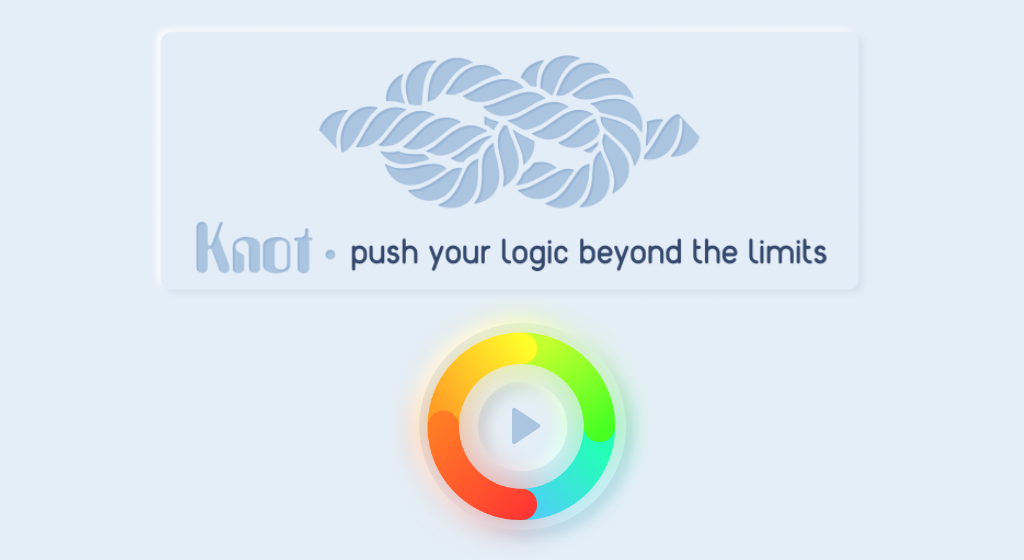
Neumorphic knot Full homepage screenshot

At a glance

Category
Games & Board Games
Language
English
Paid-content signal
No paid content foundObserved
Registered
2023
Hosting
A2 Hosting, Inc.Inferred
HTTPS certificate trusted
PassedObserved
Last updated

Website review

This review may include AI-generated content and is not individually verified. Domain, certificate and other facts come from the observed data on this page.

What is Neumorphic knot?

Neumorphic knot is a browser-based puzzle game built around untangling a knot. The "neumorphic" part refers to its visual style—soft, extruded shapes with subtle shadows that make on-screen elements look like molded plastic or clay. The "knot" part is the actual challenge: you manipulate a tangle of lines or strands until they no longer cross.

What the puzzle likely asks of you

Knot puzzles generally work on a simple principle: every crossing is a problem to be resolved, and moves affect more than the strand you touch. Expect to:

  • Drag, rotate or swap segments to reduce the number of overlaps.
  • Work backward from the finished state when a tangle looks hopeless.
  • Restart freely, since knot puzzles reward experimentation over caution.

The neumorphic styling matters here for a practical reason: soft shadows and low-contrast edges can make it harder to tell which strand sits on top of which. If you find yourself misreading depth, that is a design trade-off, not a failure on your part.

Who it suits

It fits players who like short, self-contained logic challenges—the kind you solve in a few minutes between other tasks. It is less suited to anyone wanting narrative, progression systems or long sessions. If you enjoy untangling headphone cables or solving Rush Hour-style sliding puzzles, the appeal is similar.

A concrete way to start

Open the game and make one move at a time, noting which crossings disappear. If a move creates two new overlaps to remove one, undo it—that is usually the signal you are working against the puzzle's logic rather than with it. For a broader supply of similar browser puzzles, Neumorphic knot sits alongside other logic games on the same site.

How do I solve the knot puzzle in Neumorphic knot?

I can't give a step-by-step solution to the knot puzzle on Neumorphic knot — the site's own page evidence provides no walkthrough, level data or mechanic description, so any specific move sequence I gave you would be invented.

What the available information does tell you is narrow but real: the site is called Neumorphic knot, its tagline is "Push your logic beyond the limits," and it is tagged as a puzzle, a knot, a game, and neumorphism. That points to a soft-UI, shape-and-shadow style puzzle where the challenge is reasoning about how strands cross rather than reflex or speed.

A practical way to approach a knot puzzle

Work from the constraint, not from trial and error:

  • Identify what can't move. In most knot puzzles one end or one segment is fixed. Everything else is solved relative to that anchor.
  • Count the crossings. The number of times one strand passes over another usually equals the minimum number of moves, or close to it. Each crossing you resolve should reduce the count by exactly one.
  • Work backwards from the finished state. Ask what the knot must look like one move before it's solved, then two moves before. This is often faster than reasoning forward.
  • Separate over from under. A strand that goes over can often be slid freely; a strand that goes under is trapped until the one above it moves.
  • Undo rather than restart. If you get stuck, reverse your last two or three moves instead of resetting the board, so you keep the progress you've already made.

If you want the actual solution

The reliable route is the game itself: replay early levels and watch how the first successful move differs from your failed attempts, since early levels usually teach the core rule. If the developer has published a walkthrough or hints, that will be on the game's own pages rather than anywhere else.

For general puzzle-solving technique rather than this specific game, Wikipedia has a solid overview of knot theory that explains why certain crossings are topologically forced, which is often the exact insight a knot puzzle is testing.

Is Neumorphic knot free to play?

Neumorphic knot does not display any pricing information, payment platforms or subscription options on its page, so there is no visible evidence that it charges players. The site presents itself simply as a puzzle experience built around untangling a knot, with the tagline "Push your logic beyond the limits." With no paywall, no checkout flow and no premium tier mentioned, the most reasonable reading is that you can open it and start playing without paying.

What that means in practice

Free-to-play usually falls into a few patterns, and it helps to know which one you are dealing with:

  • Completely free — no payment anywhere, no ads or upsells. This matches what the page currently shows.
  • Free with ads — you play at no cost but see advertising. Nothing on the page indicates this.
  • Free to start, paid to continue — early levels are open, later content is locked. No such split is mentioned.
  • Free trial — time-limited access before a purchase. No trial terms appear.

Because the page lists no payment links or platforms, the first pattern is the best fit for what is currently visible.

A quick way to confirm

Open the game and play through the first few puzzles. If no login prompt, ad overlay or "unlock full version" message appears, it is free in the everyday sense. If something does appear later, that would be the real pricing model, regardless of what the landing page suggests.

For comparison, established free browser puzzle sites handle this differently: Play Brain Teasers mixes free puzzles with optional extras, while Puzzle Prime uses a membership for full access. Neumorphic knot shows neither signal.

If you are deciding whether to invest time, treat it as a no-cost browser puzzle and judge it on whether the knot mechanic stays interesting after the first few levels.

What devices and browsers can run Neumorphic knot?

Neumorphic knot is a browser-based puzzle, so the practical answer is: any reasonably modern device with a current browser should be able to load it. There is no dedicated app or console version implied by the site.

What that means in practice

  • Desktop and laptop: Windows, macOS and Linux machines with an up-to-date Chrome, Firefox, Edge or Safari are the safest bet.
  • Phones and tablets: iOS and Android devices with a current mobile browser should work, though small screens can make precise dragging or tapping harder in a knot-style puzzle.
  • Chromebooks and other lightweight laptops: fine, provided the browser is current and the machine isn't overloaded.
  • Older or unusual setups: outdated browsers, locked-down work machines, and browsers with aggressive script blocking are the most likely to fail.

The real constraint is input, not the device

A knot puzzle depends on accurate pointing and dragging. A mouse or trackpad gives you finer control than a fingertip, so if a level feels fiddly on a phone, try it on a desktop before assuming the puzzle is unfair. A stylus on a tablet is a good middle ground.

Practical next step

Open the site on the device you actually intend to play on and try the first level rather than testing on a different machine. If you plan to play on a phone, check that dragging feels responsive before investing time in later levels; if not, switch to a computer with a mouse. If the page won't load at all, update your browser first — that resolves most compatibility problems on modern hardware.

How does Neumorphic knot compare to other puzzle games?

Neumorphic knot is a logic puzzle built around untying a knot, and its distinguishing feature is presentation rather than a novel rule set. The site's own framing—"Push your logic beyond the limits"—positions it as a mental-challenge game, and the neumorphic visual style (soft, extruded shapes with subtle shadows) gives it a calmer, more tactile feel than the neon, high-contrast look common in mobile puzzlers. Because the page evidence is thin, judge it mainly on the interaction model: if you enjoy untangling spatial problems by dragging and reasoning step by step, it fits; if you want timed action or narrative progression, it likely won't.

Where it sits among puzzle types

Puzzle style Typical appeal How a knot-untangling game differs
Match-3 / tile swap Fast, low-stakes, session-friendly Slower, more deliberate; each move matters more
Physics-based (e.g., cut-the-rope style) Trial and error, playful chaos Usually more deterministic; success depends on reasoning, not reflexes
Word and number grids Language or arithmetic skill Spatial and topological reasoning instead
Escape-room / adventure Story, atmosphere, discovery Minimal narrative; the puzzle is the product

Practical comparison points

  • Difficulty curve. Knot puzzles tend to get hard quickly once multiple crossings interact. Good versions let you undo moves freely; without that, frustration rises fast.
  • Session length. These suit short, focused bursts rather than long marathons, since sustained spatial reasoning is tiring.
  • Aesthetic as a differentiator. Neumorphism is a genuine draw for players tired of loud, ad-heavy puzzle apps, but soft shadows can reduce contrast—check readability on your own screen.
  • Monetization and ads. The available information doesn't establish how this game is funded, so treat ad load and paywalls as unknowns to verify yourself.

A concrete way to decide

If you're choosing between this and, say, a polished mainstream puzzler, ask what you want from a session: relaxation with mild mental friction, or a steady drip of rewards and levels. For the former, a knot game with an undo button and a quiet palette is a strong pick. For the latter, a level-progression puzzle with clear goals will hold attention longer. As a next step, play the first few levels and note whether you're thinking about the knot or just tapping—if it's the former, it's the right genre for you. For broader puzzle browsing, Neumorphic knot is the source here, and you can compare general puzzle catalogs at Puzzle-Gen.

Are there hints or a walkthrough for Neumorphic knot?

No hints or walkthrough are published on the Neumorphic knot site itself. The page describes the game as a logic puzzle and gives no visible strategy guide, hint system, or solution page.

What that means in practice

If you are stuck, you are meant to work it out from the puzzle's own visual logic. Neumorphic design uses soft shadows and low-contrast edges to suggest depth, so the clues are likely in how shapes overlap, which strands appear raised or recessed, and the order in which the "knot" can be loosened. A walkthrough would undercut that, which is probably why none is offered.

Where to look instead

  • Community puzzle forums: Search for the game name on general discussion boards where players post screenshots and partial solutions.
  • Video platforms: Search the title directly; players often record full playthroughs even when the developer posts nothing.
  • The developer's own channels: Check whether Neumorphic knot links to a social account or Discord, since hints sometimes live there rather than on the main page.

A useful next step

Before hunting for a walkthrough, try treating each knot as a sequence problem: identify the strand that moves freely first, then work backward to the one that must move last. If you record your screen while solving, you can rewatch the exact move where you got stuck. That is often faster than finding a guide for a small, niche puzzle.

Related questions

More questions →
What Is Neumorphism and How Do You Use It in UI Design?

Neumorphism (also called soft UI) is a visual style that makes interface elements look like they are molded from the same material as the background. It does this with two shadows: a light shadow on one side and a dark shadow on the opposite side, both derived from the background color. The result is a soft raised or pressed effect. Use it when you want a calm, tactile look for a small set of controls and you can keep contrast high enough for text and icons. Avoid it as the only way to signal interactivity, because its low-contrast surfaces often fail accessibility checks.

What Neumorphism Actually Is

Neumorphism sits between two older styles:

  • Skeuomorphism copies real-world materials in detail (leather, metal, glass) and uses strong depth, texture, and bevels.
  • Flat design removes depth entirely and relies on solid color, typography, and spacing.
  • Neumorphism keeps depth but removes texture. It uses the background color itself as the element color, then adds a light and a dark shadow to imply a soft extrusion or an inset.

The defining rule: the element and the background share the same base color. Depth comes only from shadow, not from a different fill.

How to Build the Effect

The mechanics are simple and can be reproduced in CSS or any design tool that supports two drop shadows.

  1. Pick a base color. A mid-tone works best because you need room to go lighter and darker. Very dark or very light bases leave little contrast range.
  2. Choose one light source. Decide the light comes from the top-left (the common convention). The light shadow goes top-left, the dark shadow goes bottom-right.
  3. Derive the two shadow colors. Lighten the base for the highlight, darken it for the shadow. Keep the hue the same so the surface looks continuous.
  4. Set blur and offset. A soft, large blur with a moderate offset reads as raised. Swapping the shadow positions (dark on top-left, light on bottom-right) reads as pressed or inset.
  5. Verify contrast. Check that text, icons, and focus states remain readable against the surface.

A minimal raised button in CSS:

.button {
  background: #e0e5ec;
  border-radius: 12px;
  box-shadow: 6px 6px 12px #b8bcc2,
             -6px -6px 12px #ffffff;
}

.button:active {
  box-shadow: inset 6px 6px 12px #b8bcc2,
              inset -6px -6px 12px #ffffff;
}

The :active state flips the shadows inward, which is what makes the press feel physical.

Where It Works and Where It Fails

Component Fit Why
Toggle switches Good The raised/pressed metaphor matches on/off states naturally
Cards and panels Good Soft depth separates content without heavy borders
Primary buttons Careful Needs a clear label and a visible focus ring
Text inputs Careful Inset look can hide the field boundary; add a border or label
Dense dashboards Poor Many soft surfaces blur together and slow scanning
Low-vision contexts Poor Low contrast between element and background hurts recognition

The Accessibility Problem

The core weakness is contrast. Because the element and background share a color, the boundary between them can be nearly invisible. This creates two failures:

  • Affordance failure. Users cannot tell what is clickable. A raised card and a raised button may look identical.
  • Contrast failure. Text placed on a soft surface may not meet minimum contrast ratios, and focus indicators can disappear.

Practical fixes:

  • Keep body text and icons at high contrast against the surface, not just against the page.
  • Add a visible focus outline that does not rely on the soft shadow.
  • Use neumorphism for decoration and state, but pair it with a conventional cue (label, icon, border) for anything interactive.
  • Test in grayscale. If the interface becomes unusable, the depth is doing too much work.

When to Choose It

Choose neumorphism when the product is simple, the control count is low, and a soft, premium feel matters more than dense information display. Skip it when the interface is data-heavy, when accessibility requirements are strict, or when users need to identify many interactive elements at a glance. A common middle path is to use neumorphic surfaces for containers and switches while keeping buttons and inputs visually conventional.

What Is Neumorphic Knot and How Do You Play It?

Neumorphic Knot is a logic puzzle game hosted on brainteaser.top, built around untangling knotted or interwoven structures. It suits players who enjoy slow, deliberate reasoning rather than timed or action-driven challenges. The game's defining trait is its neumorphic (soft, extruded) visual style, where depth and interactivity are communicated through light and shadow instead of flat colors or outlines. If you like puzzles that ask you to study a structure before touching it, this is aimed at you.

What the game is

The site describes it simply: "Push your logic beyond the limits." That framing matches the genre — a knot puzzle asks you to reason about how strands cross, which ones can move, and in what order, until the tangle resolves.

Two things define it:

  • The puzzle type — knot/entanglement logic, where the challenge is spatial and sequential rather than about speed or reflexes.
  • The visual language — neumorphism, a design style where elements appear pressed into or raised from a soft surface. Buttons and pieces read as physical objects through highlights and shadows.

How the core mechanic works

Knot puzzles generally follow the same logic: strands cross over and under each other, and only certain moves are legal at any moment. You can't force a strand through another — you have to find the sequence that lets each crossing release in turn.

The practical loop looks like this:

  1. Read the whole structure first. Before moving anything, trace each strand and note where it passes over or under another.
  2. Find the free end or the loosest crossing. That's usually your legal first move.
  3. Make one move and re-read. Each release changes which crossings are now accessible.
  4. Work backward when stuck. Ask which final move would resolve the knot, then which move enables that one.

The neumorphic presentation matters here: because pieces are distinguished by shadow and depth rather than color, you rely on light cues to tell what's raised, what's recessed, and what's interactive. That's part of the challenge — and part of the appeal if you like clean, tactile interfaces.

Who it's for — and who it isn't

Fits you if you… Probably not for you if you…
Enjoy untangling, spatial reasoning, and step-by-step logic Want fast, timed, or reflex-based play
Like minimal, soft-UI aesthetics Prefer high-contrast, color-coded visuals
Are fine sitting with a puzzle before acting Get frustrated by trial-and-error pacing
Want a low-pressure, self-paced challenge Need constant action or progression rewards

How to start without getting stuck

  • Begin with the simplest knots. Learn how a single release cascades before tackling dense tangles.
  • Don't click randomly. In knot puzzles, random moves often re-tangle what you just freed.
  • Zoom out mentally. When stuck, stop looking at the crossing in front of you and re-examine the whole structure — the blocking strand is usually elsewhere.
  • Accept that some knots need several passes. Re-reading after each move is the actual skill.

The bottom line

Neumorphic Knot is a self-paced logic puzzle about untangling interwoven structures, wrapped in a soft neumorphic interface where light and shadow carry the information. Try it if you want a calm, brain-teasing challenge with a distinctive look. Skip it if you're after speed, action, or bright, color-coded feedback. Start simple, observe before you move, and treat each release as a change to the whole board — not just the piece you touched.

What Is a Puzzle? Types, Mechanics, and How to Start Solving

A puzzle is a problem with a known solution that you reach by applying rules and reasoning, not by guessing or outside knowledge alone. It differs from a game (which usually involves competition, chance, or ongoing play) and from a riddle (which typically turns on wordplay or a trick). If you want to start solving, pick a type that matches your time and goal, learn its one core rule, and work in small verified steps rather than trying to see the whole answer at once. The sections below cover the main types, how constraint-based puzzles like sudoku actually work, and a repeatable way to begin.

Puzzle vs. game vs. riddle vs. brain teaser

These terms overlap in casual use, but the distinctions help you choose what to sit down with.

Form Core trait Example
Puzzle Fixed rules, one or a set of valid solutions, solved by reasoning Sudoku, crossword, jigsaw
Game Play continues, often two or more players, may involve chance or skill Chess, card games
Riddle Short, relies on wordplay, misdirection, or a hidden meaning "What has keys but no locks?"
Brain teaser Tests a specific cognitive trick or assumption Lateral-thinking scenarios

A single activity can blur the lines — a crossword is a puzzle, but a timed crossword race adds a game element. The useful takeaway: if success depends on finding the intended solution under fixed rules, you're dealing with a puzzle.

Major puzzle types and what each demands

Different puzzles train different skills, so the "right" one depends on what you enjoy or want to practice.

  • Sudoku — a grid of numbers where each row, column, and box must contain each digit exactly once. Demands pure logic and constraint tracking; no arithmetic or vocabulary needed.
  • Crosswords — fill a grid with words from clues. Demands vocabulary, general knowledge, and comfort with wordplay.
  • Jigsaw — assemble cut pieces into a picture. Demands spatial reasoning and pattern matching; low language load.
  • Logic grid puzzles — match categories (people, colors, pets) using a set of clues. Demands deductive elimination.
  • Word and number puzzles — anagrams, kakuro, number sequences. Demand a mix of language or arithmetic pattern recognition.

If you want something language-independent and purely deductive, sudoku is the cleanest entry point. If you want to use vocabulary and trivia, crosswords fit better.

How constraint-based puzzles work: the sudoku example

Sudoku is the clearest illustration of a constraint satisfaction puzzle: you have a set of slots, a set of values, and rules that limit which value can go in which slot. The solution is whatever assignment satisfies every rule at once.

The rules for a standard 9×9 sudoku:

  1. Every row must contain the digits 1–9 exactly once.
  2. Every column must contain the digits 1–9 exactly once.
  3. Every 3×3 box must contain the digits 1–9 exactly once.

The key mechanic is elimination. For any empty cell, you ask which digits are already blocked by its row, its column, and its box. If only one digit remains possible, that cell is solved. More advanced techniques (like finding a digit that can only fit in one cell of a row) extend the same idea.

This is why sudoku needs no math beyond counting: the digits are just nine distinct symbols, and the whole puzzle is about tracking what's still allowed.

A simple way to start any puzzle without getting stuck

The most common reason beginners stall is trying to solve everything at once. Work in passes instead.

  1. Read the rules and the goal first. Know exactly what a finished solution looks like before you place anything.
  2. Scan for the easiest forced moves. In sudoku, look for rows, columns, or boxes that are nearly full. In a crossword, start with clues you're confident about.
  3. Fill only what you can justify. Place a value only when the rules force it. Guessing creates errors that are hard to trace later.
  4. Re-scan after every placement. Each new entry removes options elsewhere, often unlocking a move that wasn't visible before.
  5. When stuck, switch technique, not effort. Move from "what fits here?" to "where can this digit go?" — a different question often breaks the block.
  6. Verify at the end. Check every row, column, and box (or every clue) against the rules. A single early mistake usually shows up as a contradiction.

If you're completely stuck, the honest move is to check your earlier entries for an error before assuming the puzzle is too hard.

Choosing a puzzle by time, difficulty, and goal

Match the puzzle to your situation rather than defaulting to the hardest one.

  • 5–10 minutes, want to relax: a small or easy sudoku, or a quick word puzzle.
  • Want to build vocabulary or general knowledge: crosswords.
  • Want pure logic with no language barrier: sudoku or logic grid puzzles.
  • Want a low-stress, hands-on activity: a jigsaw.
  • Want a genuine challenge: larger grids, harder difficulty tiers, or puzzles with fewer given clues.

A practical tip: start one difficulty level below what you think you can handle. Finishing a puzzle teaches you the mechanics faster than abandoning a hard one, and you can always move up.

Where online puzzles fit in

Online puzzle sites typically let you generate a random puzzle, solve a given one, check or reveal a solution, and print it. That combination is useful for practice: generate a puzzle at a chosen difficulty, solve it on screen, and use the solver only to confirm your answer or to study a step you missed. Printing is handy if you prefer working on paper without screen time. Availability and any account requirements vary by site, so check the specific page before relying on a feature.

Can You Use CC0 Assets in Commercial Games? Licensing and Integration Basics

Yes. CC0 assets can be used in commercial games without paying royalties or crediting the creator. CC0 is a public-domain dedication: the creator has waived copyright and related rights to the fullest extent allowed by law. That means you can copy, modify, redistribute, and sell work built on those assets — including in a game you charge money for.

This article explains what CC0 actually covers, how it differs from other Creative Commons licenses, and how to bring CC0 assets into engines like Unreal and Unity and tools like Blender, Maya, and 3ds Max.

What CC0 actually means

CC0 is not a license in the traditional sense — it is a waiver. When a creator applies CC0 to their work, they give up their copyright and agree not to enforce related rights. You are free to:

  • Use the asset in personal, educational, or commercial projects
  • Modify, remix, and build derivative works
  • Distribute the asset or your derivative as part of a larger project
  • Do all of the above without attribution

There is no requirement to credit the creator, no share-alike clause forcing you to open-source your game, and no non-commercial restriction. For a studio shipping a paid title, that combination is unusually permissive.

One practical caveat: CC0 applies to the rights the creator holds. It cannot waive third-party rights the creator never owned. A scanned statue, a branded product, or a recognizable logo in a texture may still carry trademark or personality-rights issues. Treat CC0 as clearing copyright, not as clearing everything.

CC0 vs. other Creative Commons licenses

The differences matter most when you are choosing assets for a commercial build. The table below summarizes the common variants.

| License | Commercial use | Attribution required | Share-alike | Notes for games | |---|---|---|---|---|---| | CC0 | Yes | No | No | Closest to public domain; safest for closed-source commercial titles | | CC BY | Yes | Yes | No | Fine for commercial use, but you must credit — plan for a credits screen | | CC BY-SA | Yes | Yes | Yes | Derivatives may need to be shared under the same license; risky for proprietary code/assets | | CC BY-NC | No | Yes | No | Excludes commercial projects; avoid for any monetized game | | CC BY-ND | Yes | Yes | No | No derivatives — you cannot modify the asset, which limits integration |

If your goal is a commercial game with no legal overhead, CC0 is the simplest choice. CC BY is workable if you can maintain attribution. Avoid NC and ND for anything you intend to sell or heavily adapt.

How CC0 assets fit into game engines and pipelines

CC0 libraries typically provide HDRIs, PBR textures, and 3D models. Each type has a natural place in a game pipeline.

HDRIs

HDRIs are high-dynamic-range environment maps. In Unreal, they are commonly used for sky lighting via a Sky Light set to use an HDRI cubemap or a Sky Sphere material. In Unity, they feed the skybox and the environment lighting in the Lighting window. You can also use them as reflection probes or as the basis for image-based lighting in Blender, Maya, or 3ds Max for look development before export.

Textures

PBR texture sets usually ship as albedo (base color), roughness, metallic, normal, and sometimes ambient occlusion or height maps. These drop directly into Unreal's material system or Unity's Standard/URP/HDRP shaders. Keep the resolution appropriate: 4K textures are useful for hero assets, but 1K or 2K is often enough for background props and saves memory.

Models

Static meshes and props can be imported as FBX or OBJ. Check the scale and pivot before placing them in a level. If the asset was authored for offline rendering, it may have very high poly counts — decimate or LOD it before use in a real-time scene.

Practical steps for importing and adapting assets

  1. Download and verify the license. Confirm the asset page states CC0. Save a screenshot or the license text alongside the file.
  2. Organize by type. Keep HDRIs, textures, and models in separate folders. A consistent naming convention (for example, env_forest_01_4k.hdr) saves time later.
  3. Import into your engine. In Unreal, drag the FBX into the Content Browser and set up materials. In Unity, import the FBX and assign a PBR material, then wire the texture maps to the correct slots.
  4. Adapt scale and orientation. Real-world assets may be authored in meters or centimeters. Check against a reference cube of known size.
  5. Optimize. Reduce texture resolution where it will not be seen up close, generate LODs for models, and bake lighting where appropriate.
  6. Test in context. Place the asset in a representative scene and check lighting, reflections, and performance before committing it to the project.

What CC0 does not cover

CC0 clears copyright, but a few things still deserve a second look:

  • Trademarks and logos. A texture containing a recognizable brand mark is not automatically safe to ship.
  • Recognizable people or property. A model of a real person or a distinctive building may raise personality or property-rights questions.
  • Third-party content inside the asset. If a creator included someone else's work without permission, the CC0 dedication does not fix that.

For most generic assets — rocks, foliage, generic furniture, abstract HDRIs — these concerns are minimal. For anything depicting a real brand, person, or landmark, verify independently.

Documenting asset sources for teams and clients

Even though CC0 requires no attribution, keeping records is good practice. It protects you if a client or publisher asks for provenance, and it helps when a team member needs to know where a file came from.

A simple tracking sheet works:

Asset name Type Source License Date downloaded Notes
forest_01_4k.hdr HDRI Poly Haven CC0 2025-01-10 Used for level 2 sky
rock_cliff_a.fbx Model Poly Haven CC0 2025-01-10 Decimated to 8k tris

Store this alongside your project files. If you later combine CC0 assets with CC BY assets, the sheet makes it obvious which ones need credit.

Bottom line

CC0 assets are safe for commercial games, require no attribution, and impose no royalties or share-alike obligations. The main work is practical: verify the license, check for third-party rights, import and optimize the asset for your engine, and keep a record of where it came from. Do that, and a CC0 library becomes a legitimate, low-friction source for production assets in Unreal, Unity, Blender, Maya, and 3ds Max.

Website Overview

Limited stack disclosure and few obvious backend markers suggest a more restrained public footprint. That reduces easy fingerprinting clues but is not proof of overall security. Page metadata, canonical configuration and social previews work together to provide more consistent search and sharing presentation.

Domain and Registration

Transfer-protection status is present, helping reduce the risk of unauthorized domain transfers. The domain has about 2 years of registration history; its current configuration provides more context than age alone. The registrar is Namecheap Inc., a widely used domain service provider. Registration contact information is publicly available through RDAP. The domain uses the common .top extension, which is not an independent safety signal.

DNS and Email

The observed email authentication setup is incomplete: DMARC is missing. Nameservers are provided by a2hosting.com, indicating managed DNS hosting. MX records point to the brainteaser.top email service. No CNAME was found; the observed records resolve directly to addresses. DNSSEC signatures were not detected, so this additional DNS authenticity protection is not confirmed.

TLS and Certificates

The certificate uses an RSA 2048-bit public key, offering broad client compatibility. The server supplied a complete certificate chain. No organization name is present in the certificate; the available fields are consistent with domain validation. The certificate was issued by Let's Encrypt, commonly associated with automated certificate services. The certificate's total validity is about 89 days, consistent with a short renewal cycle.

HTTP and Browser Security

The response lacks these common security headers: CSP, Referrer-Policy, Permissions-Policy. No X-Powered-By header was found, reducing one common source of backend fingerprinting information. No obvious internal addresses or debug information were found in the headers. The Server header contains the custom value LiteSpeed. No explicit CDN or WAF marker was found in the response headers.

Technology Stack Analysis

No obvious technology stack is exposed. This may reflect restrained information disclosure, although the underlying technologies remain unknown.

Search and Social Sharing

Twitter Card metadata is configured. The title has 15 characters, within a common display range. A meta description is present, with 34 characters. The observed directives allow indexing and link following. No Generator meta tag is publicly exposed.

Hosting and Email

DNSa2hosting.com
HostingA2 Hosting, Inc.
Emailbrainteaser.top
Approximate IP geolocation (inferred; a CDN or proxy may differ from the origin server) United States flagDetroit, Michigan, United States Inferred 70.32.23.71

Registration details

RDAP / WHOIS

RegistrarNamecheap Inc.
Registered2023-12-06
Expires2027-12-06
Domain statusclient transfer prohibited
Nameserversns1.a2hosting.com、ns2.a2hosting.com、ns3.a2hosting.com、ns4.a2hosting.com
DNSSECunsigned

DNS records

DNS

TypeNameValueTTLPriority
Abrainteaser.top70.32.23.7114400—
MXbrainteaser.topmail.brainteaser.top144000
NSbrainteaser.topns1.a2hosting.com86400—
NSbrainteaser.topns2.a2hosting.com86400—
NSbrainteaser.topns3.a2hosting.com86400—
NSbrainteaser.topns4.a2hosting.com86400—
TXTbrainteaser.topv=spf1 +a +mx +ip4:70.32.23.71 include:spf.a2hosting.com ~all14400—

TLS and certificates

TLS / SSL

AssessmentNormal configuration
Supported protocolsTLSv1.2、TLSv1.3
Negotiated protocolTLSv1.3
Certificate subjectbrainteaser.top
IssuerLet's Encrypt
Valid until2026-11-13T16:14 · Remaining when checked: 29 days
Verification detailsCertificate trust: Passed · Hostname match: Passed

HTTP response headers

HTTP

HeaderValue
content-typetext/html
cache-controlmax-age=3600, must-revalidate
serverLiteSpeed
strict-transport-securitymax-age=63072000; includeSubDomains
x-frame-optionsSAMEORIGIN
x-content-type-optionsnosniff

Identified technologies

Technology stack: Unknown

Pages, Search and Sharing

Meta descriptionPush your logic beyond the limits.
Canonical URLhttps://brainteaser.top/knot/index.html
LanguageEnglish (default)
Twitter Cardsummary_large_image
All bots 0 allowed · 0 disallowed

No sitemaps found

User reviews (0)

  • No reviews yet.