
 简体中文
简体中文 English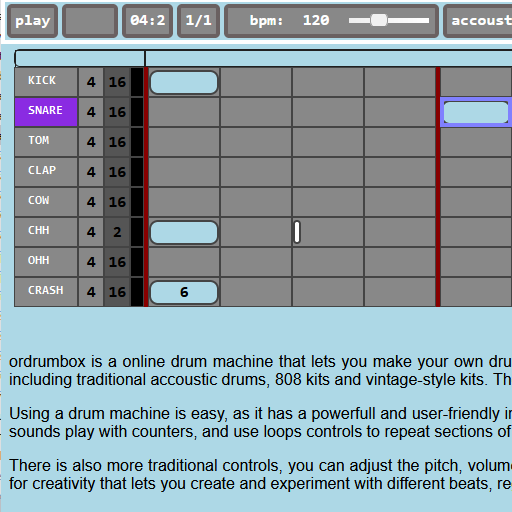
Website review
This review may include AI-generated content and is not individually verified. Domain, certificate and other facts come from the observed data on this page.
What is orDrumbox?
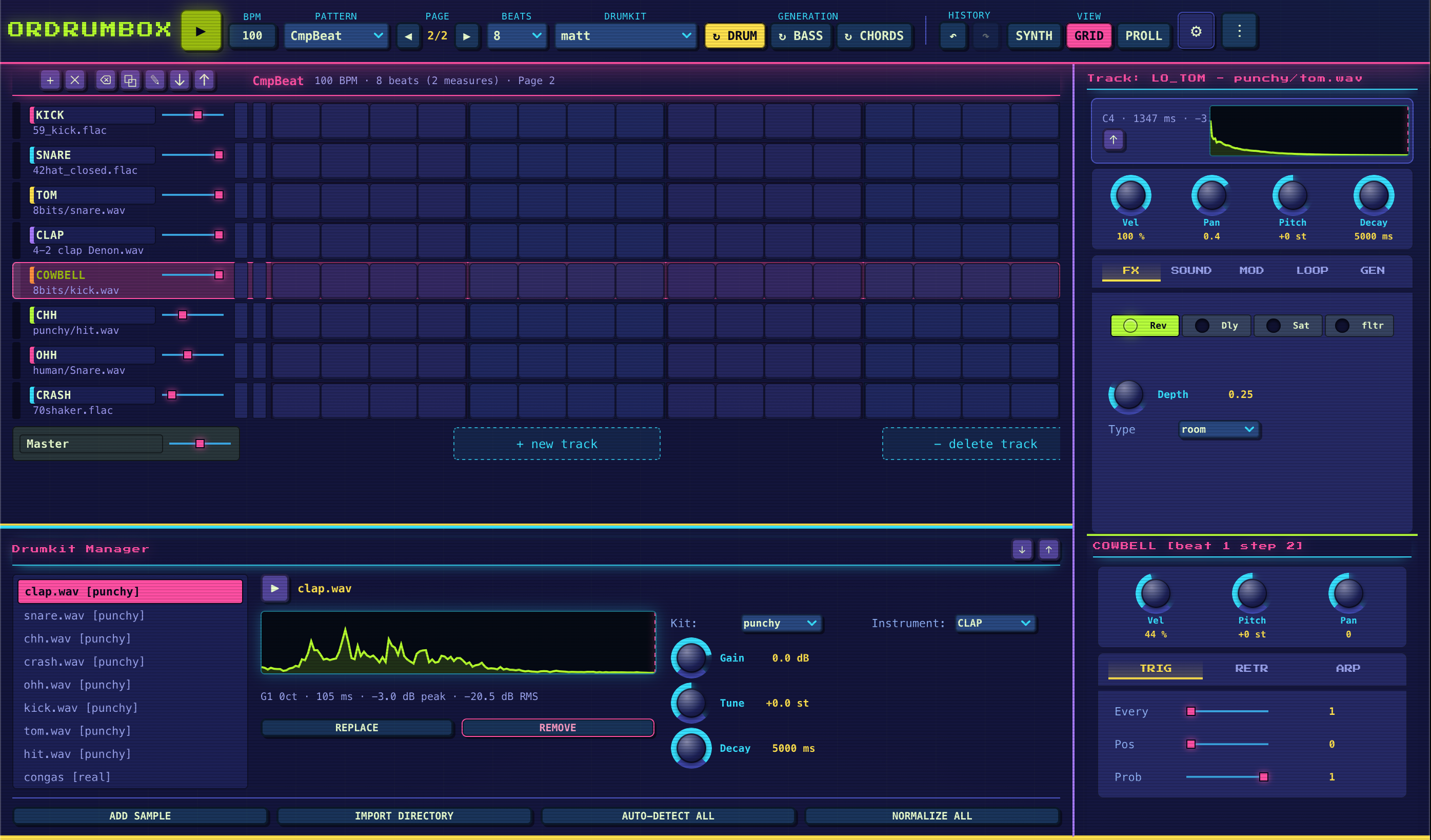
orDrumbox is a free, browser-based drum machine and step sequencer for building beats without installing software. It combines a multi-track grid sequencer, a pattern generator, a built-in software synthesizer and multiple drum kits in one environment, and it can export your results as audio.
What you can do with it
- Program rhythms on a step grid. Tracks can run at independent loop lengths, which makes polyrhythms practical rather than fiddly. Per-note pitch, volume and panning are editable, and swing/groove can be set per track.
- Generate ideas instead of starting blank. The pattern generator creates full drum patterns; you can regenerate a single track while keeping the rest, and it can produce matching bass lines. This suits anyone stuck for a starting point.
- Design your own sounds. The integrated synth offers three oscillators, ADSR envelopes, resonant filters and LFO modulation — enough for basses, leads, pads and more experimental tones, not just sample playback.
- Start from ready-made kits. Acoustic, vintage drum machine, electronic and 8-bit/retro kits are included, and you can import your own samples to build custom kits.
- Save, export and share. Beats can be exported as WAV files for use elsewhere.
Who it fits
| You are… | Why it works | Main trade-off |
|---|---|---|
| A beginner wanting a first beat | No install, no account barrier mentioned, immediate kits and a generator | A browser tool is less deep than a full DAW |
| A producer sketching ideas | Fast pattern generation, polyrhythms, WAV export into your main setup | You will likely finish and mix elsewhere |
| A live performer | A "Play Live" mode is part of the design | Browser and hardware setup matter for reliability |
| A sound designer on a budget | Synth engine with oscillators, filters and LFOs | Fewer options than dedicated soft synths |
A sensible first step: open it, load an acoustic or vintage kit, generate one pattern, then regenerate only the kick track until the groove sits right. That single workflow shows whether its generative approach matches how you like to work. For a broader comparison of free browser-based music tools, see BandLab and Soundtrap; if you later want a full desktop production environment, Ardour is a free option.
Can I use orDrumbox to make beats without installing any software?
Yes. orDrumbox runs entirely in the browser, so you can build beats without installing anything. The page describes it as a free online drum machine, step sequencer and beat maker, with the tagline "100% Browser."
What you can do without an install
- Program rhythms on a multi-track step sequencer with a grid editor.
- Give each track its own loop length, which makes polyrhythms possible.
- Use Euclidean rhythm generation, swing and per-track groove adjustment.
- Edit pitch, volume and stereo panning per note.
- Let the pattern generator create a full drum pattern, regenerate a single track, or produce a matching bass line.
- Shape your own sounds with the built-in synth (three oscillators, ADSR envelopes, resonant filters, LFO modulation).
- Start from ready-made kits or import your own samples.
- Save, export and share your work; the page mentions WAV export.
Who this suits
It fits songwriters sketching a groove on a laptop, electronic producers exploring House, Techno, Hip-Hop, Rock, Chiptune or experimental ideas, and anyone on a locked-down computer who cannot install audio software. It is less suited to recording live acoustic drums or mixing a full multi-instrument arrangement.
Trade-offs to expect
Browser-based tools depend on a stable connection and a reasonably modern browser, and performance can vary with your machine. Export options are narrower than a full DAW, and you will not get the plugin ecosystem or deep audio editing of installed software. For finishing and mixing a track, you will likely move your exported audio elsewhere.
A practical first step
Open the app, load a drum kit, and let the pattern generator produce a starting groove. Then mute all but one track, regenerate just that track until it fits, and adjust swing before exporting. If you later want a full production environment, compare with Ableton or FL Studio, both of which require installation but add recording and mixing depth.
How do I export my drum patterns from orDrumbox to WAV?
Use the Save, Export and Share area of the interface: orDrumbox lists high-quality WAV export among its core features, so the export control lives with the project-saving options rather than in the step-sequencer grid or the synth panel.
A practical workflow:
- Build and refine the pattern in the multi-track step sequencer — check swing, per-note pitch/volume/panning and any per-track loop lengths before exporting.
- If the pattern is only a sketch, use the pattern generator first and regenerate individual tracks until the groove is right.
- Open the save/export section, choose the WAV option, and let the browser produce the file.
- Listen to the exported file on a different player or import it into your DAW before deleting the browser project.
Two things worth knowing before you rely on it:
- The export captures the mix, not separate stems. The page describes a master compressor and a finished WAV file, so treat the export as a stereo mixdown. If you later want to rebalance the kick against the bass, you will need to reopen the project and export again rather than adjust a stem.
- Browser exports depend on your session. Keep the tab open and avoid clearing site data until the file has downloaded. If you are working on a long arrangement, export intermediate versions as you go.
For a concrete scenario: a producer sketching a house groove on a laptop without a DAW installed can generate a drum pattern, add a matching bass line, tweak the swing, and export a WAV to drop into a larger session later. Someone scoring a chiptune track would instead lean on the 8-bit and retro kits and the built-in synth before exporting.
If WAV export is not visible where you expect it, check whether you are in a pattern view rather than the project/save view, and confirm the pattern has at least one active track. For the exact menu path in the current version, the official site is orDrumbox.
What genres of music can I create with orDrumbox's pattern generator?
The pattern generator is not locked to a single genre. orDrumbox names House, Techno, Hip-Hop, Rock, Chiptune and Experimental music as the styles it is built to support, and its generator draws on the same engine as the rest of the drum machine.
H3 What that means in practice
- Four-on-the-floor styles (House, Techno): the step sequencer and per-track swing make it easy to lay down a steady kick with offbeat hats, then let the generator fill in supporting percussion.
- Hip-Hop and beat-driven styles: trigger and repeat controls help produce the stutters, rolls and swung snares that define the feel.
- Rock: acoustic drum kits are available, so generated patterns can be treated as a starting groove rather than an electronic loop.
- Chiptune and retro: 8-bit and vintage drum machine kits are included, matching the generator's output to a deliberately lo-fi palette.
- Experimental: independent loop lengths per track and Euclidean rhythm generation allow polyrhythms and unusual structures that sit outside standard genre templates.
H3 How to use the generator The generator can create a complete drum pattern at once, or regenerate a single track while keeping the rest of your groove intact, and it can automatically produce a matching bass line. A practical workflow is to generate a full pattern, keep the tracks that fit, then regenerate only the kick or snare until it matches the genre you are aiming for. Because you can edit pitch, volume and stereo panning on every note, generated material stays adjustable rather than fixed.
H3 A decision criterion If you want a specific, recognisable genre sound out of the box, expect to steer the generator rather than accept its first result — the value is in fast variation and overcoming writer's block, not in one-click genre presets. If you enjoy shaping rhythms yourself, the combination of generation and detailed per-note editing is the stronger fit.
Next step: generate a pattern, then swap between the acoustic, vintage and 8-bit kits to hear how much the genre character comes from the kit choice versus the generated rhythm itself.
Can I import my own samples into orDrumbox to build custom drum kits?
Yes. orDrumbox supports importing your own samples to build custom drum kits, according to the site's feature list. That means you are not limited to the bundled acoustic, vintage, electronic and 8-bit kits.
What this enables
- Replacing any built-in drum sound with a sample you already own
- Building a personal kit that stays consistent across projects
- Mixing sampled hits with sounds you design in the built-in synthesizer (three oscillators, ADSR envelopes, resonant filters, LFO modulation)
Who benefits most
- Producers who want a signature kick, snare or hi-hat rather than stock sounds
- Chiptune and experimental artists working with unusual or found audio
- Anyone sketching beats in a browser who wants their own sample library available without installing software
Practical next step Prepare a small folder of short, trimmed one-shot WAV files before you start — clean attacks and no long tails are easier to place on a step grid. Import a few, assign them to separate tracks, then use per-track controls (pitch, volume, panning, swing, independent loop lengths) to shape the kit. When the pattern is ready, export it as a WAV.
If you want to compare the workflow with another browser-based option, Ableton publishes learning material on drum programming, and Image-Line documents its own drum tools — both useful for judging how a sample-import workflow should feel.
How does orDrumbox's integrated synthesizer differ from using samples?
orDrumbox's synthesizer lets you build the sound itself, while its drum kits and sample import play back recorded audio. In the step sequencer, a sample track is essentially fixed once chosen; a synth track is generated from oscillator, envelope and filter settings, so pitch, brightness and decay can be reshaped per note.
Practical differences
- Sound source: samples are recordings; the synth creates tones from three oscillators, ADSR envelopes, resonant filters and LFO modulation.
- Editing: samples mainly get pitch, volume and pan changes per note; synth parts can be redesigned at the sound level.
- Best uses: samples suit realistic acoustic drums, vintage machine hits and 8-bit/retro kits. The synth suits bass lines, leads, pads and experimental tones.
- Workflow trade-off: samples give immediate, recognizable results; synthesis takes more tweaking but produces parts that fit the mix rather than being stuck with a preset hit.
If you want a quick groove, start with a drum kit and use the pattern generator, then replace one track with a synth bass or lead. If you want a distinctive texture, design the synth sound first and sequence it afterward.
For a concrete example: a house producer might keep a sampled kick and hi-hat for familiarity, then use the synth for a filtered bass line whose cutoff and envelope change across the pattern. The same approach works for chiptune-style leads where the oscillator character matters more than a recorded instrument.
A reasonable decision rule: use samples when realism or a specific recorded character is the goal; use the synth when you need control over pitch, filter movement and note shape.
 OVH SAS
 Saran, Loiret, France

User reviews (0)