
 简体中文
简体中文 English
noises.online
Premium Ambient Noises & Relaxing Sounds • NEW Audio file download • Online & Free • Increase your focus • Boost your productivity • Quieten your mind • Mask your tinnitus • And more!
At a glance
- Category
- Productivity
- Language
- English
- Paid-content signal
- No paid content foundObserved
- Registered
- 2016
- Hosting
- One.com A/SInferred
- HTTPS certificate trusted
- PassedObserved
- Last updated
Related questions
More questions →Sea Kayaking in London: What It Involves and How to Join a Club
Sea kayaking in London is mostly a club-based activity, and Chelsea Kayak Club (CKC) is the city's only paddlesport club devoted to sea kayaking and touring. It runs weekly night paddles on the River Thames from Kew Bridge in West London, plus weekend sea trips and longer expeditions. You can join if you are over 18 and can swim 50m in light clothing, but the Thames tides mean you need some experience before joining the river sessions.
What sea kayaking in London actually looks like
CKC splits its paddling into two quite different experiences.
Thames paddles (weekday evenings). The club paddles at night from 7pm every Thursday throughout the year, launching from Kew Bridge. Depending on the tide, the group heads toward Richmond, Chiswick or Hammersmith, usually finishing with a drink at a local pub. The calendar also lists "Thames Weekly Paddles" at 6:30pm on several evenings, so check the specific event time rather than assuming one fixed slot.
Sea and coastal trips (weekends and longer). At weekends the club kayaks on the sea and organises longer expeditions to Wales, Scotland, Devon and Dorset, as well as abroad. Recent and upcoming examples from the calendar show the range:
| Trip | Location | Notes |
|---|---|---|
| Chichester Harbour | Itchenor | Uses the tide to go from Itchenor to Dell Quay and back, all day |
| Solent Crossing | Lepe to Wooton Creek | All-day crossing |
| Tanners Lane | Tanners Lane to Lepe | All-day trip |
| Teddington | Thames | Pub lunch, all day |
The key practical difference: Thames sessions are short, repeatable and tide-dependent, while sea trips are full-day outings that require travel and a higher level of commitment.
Who can join, and what you need first
Membership is open to anyone over 18 who can swim 50m in light clothing. That is the baseline.
The important caveat is experience. The tides on the Thames mean a little experience is needed before members can join Thames sessions. So the realistic path is: join the club, then build up to the river paddles rather than expecting to start there.
How trip grades help you choose
Each event on the club calendar shows a "grade" so you can select one suitable for your experience, fitness and desire for adventure. This is the main self-selection tool — read the grade before signing up rather than picking a trip by location alone. A sheltered harbour paddle and a Solent crossing are not interchangeable, even if both appear on the same calendar.
Training, awards and club kit
Training is not an afterthought at CKC. Socials and training courses are regularly organised, and the club is closely aligned with the Paddle UK personal performance awards in its training. There is also a "Paddler Progression" section and a "Use of Club Kit" page, which suggests members can access club equipment rather than buying everything up front — useful if you want to try sea kayaking before committing to a boat, paddle and safety gear.
How to find sessions and sign up
- Check the Events Calendar for upcoming Thames paddles, sea trips and training.
- Read the grade on each event and match it to your experience and fitness.
- Note that details go out by email to all members — so membership is effectively the channel for trip announcements and sign-ups.
- Review the Trip Guidelines and FAQs before your first outing.
- For Thames-specific notices, the club links to PLA Notices and Notice to Mariners (NTMs) for the Upper Thames.
If you are new to the sport, the sequence that makes sense is: join, attend training and socials, use club kit, then move onto Thames sessions once you have the experience the tides require, and only then consider full-day sea trips.
What Are Rain Sounds and How Can They Help You Sleep and Relax?
Rain sounds are continuous audio recordings of rainfall — from light drizzle to heavy thunderstorms — used as background sound for sleep, relaxation, focus, and tinnitus relief. You can listen to them free on nature-sound sites such as Calmsound, which hosts a dedicated Rain Sounds collection alongside ocean, thunderstorm, rainforest, and garden recordings. They tend to work best when you want steady, non-musical background noise that masks disruptive sounds without demanding your attention.
What rain sounds actually are
A rain recording is not a single sound but a dense layer of many small, random impacts — drops hitting leaves, roofs, puddles, and ground. That randomness matters. Because there is no repeating melody or rhythm to follow, your attention has nothing to latch onto, which is why rain is often described as unobtrusive compared with music or spoken audio.
Calmsound's catalogue groups rain with other nature recordings, including Ocean Sounds, Thunderstorm, Rainforest, and a Relaxing Mix. The site describes its nature sounds as "ideal for sleep, relaxation and helpful for tinnitus sufferers," and notes that ocean recordings are among the most popular sounds for aiding sleep.
Why the variety of a recording matters
Not all rain sounds the same. A steady downpour sounds different from rain on a tent, rain in a forest, or rain with distant thunder. Calmsound's rain page is described as "a beautiful variety of Rain Recordings to relax to," which means you can pick a texture that suits you rather than accepting whatever plays first. If one recording feels too sharp or too busy, try another before deciding rain sounds don't work for you.
How rain sounds can help with sleep and relaxation
The mechanism is mostly about masking and consistency, not about rain having a special property.
- Masking: Steady broadband sound covers sudden noises — traffic, neighbours, a partner's breathing — that would otherwise pull you out of light sleep.
- Consistency: A loop that doesn't change gives your brain fewer new events to process, which supports winding down.
- No lyrics or melody: Unlike music, there is no structure to anticipate or follow.
Calmsound frames its recordings around exactly these uses: sleep, relaxation, and support for tinnitus sufferers. For tinnitus specifically, the goal is usually to give the auditory system something neutral to rest on rather than sitting in silence where the ringing becomes more noticeable. Rain is a common choice because it covers a wide frequency range.
If you want to test whether it helps you, the practical approach is to play a rain recording at a low volume — just loud enough to blend with the room, not loud enough to become the main event — for several nights before judging.
How to listen for free
Calmsound offers its nature sounds to listen to free on the site, and the rain collection is part of that library. A simple starting routine:
- Open the rain sounds page and press play.
- Set your volume low, then adjust until the rain sits just under the level of the room.
- Leave it running as you fall asleep or while you read, meditate, or do quiet work.
- If the recording ends or the loop point is noticeable, switch to a longer recording or a different track.
The site also lists a Relaxing Mix and a compilation of its most popular nature recordings, which is useful if you want to sample several textures before settling on one.
Free streaming vs downloading
Calmsound's excerpt notes that one ocean track "can also be purchased as an 8 hour mp3 download here, if your internet connection is unreliable." That points to the real trade-off:
| Option | Best for | Watch out for |
|---|---|---|
| Streaming on the site | Trying recordings, casual listening | Depends on your connection; a dropped stream can wake you |
| Downloaded audio file | Overnight sleep, offline use, uninterrupted loops | Usually a paid option where offered |
If you rely on rain sounds every night, an unreliable connection is the most common failure point — the sound stops mid-sleep and the sudden silence can wake you. A download removes that risk. Where a download is offered, it is presented as a purchase, so treat offline listening as a possible paid extra rather than assuming it is free.
Choosing a rain recording: what to check
- Variety: Does the collection include more than one rain texture, so you can switch if one becomes irritating?
- Loop length: Longer loops are less likely to expose an obvious repeat point. Calmsound's Sleep Waves is described as "one hour of looping ocean sounds," which gives a sense of the loop lengths used across the catalogue.
- Recording quality: A clean recording with no abrupt cuts, voices, or handling noise matters more than file format for sleep use.
- Thunder or no thunder: Thunderstorm tracks add occasional peaks. Some people find them immersive; others find the peaks disruptive. Rain-only recordings are the safer default if you are easily startled.
- Volume control: You want fine control at low levels, since rain is usually played quietly.
Common snags
- The loop point wakes you. Try a longer recording or a different track.
- It's too loud. Rain played at conversation volume can keep you alert rather than settling you. Aim lower.
- The stream drops. Consider a downloaded file for overnight use.
- It stops helping after a few weeks. Rotate between rain, ocean, and other nature recordings — Calmsound's mix and compilation pages are built for exactly this.
- You expect it to block all noise. Rain masks sound; it doesn't eliminate it. Very loud or sudden noises can still come through.
If your goal is simply to fall asleep more easily or to have calmer background sound while you relax, a free rain recording from a nature-sound library is a low-effort place to start. If you need it every night and your internet is unreliable, look at whether the recording you like is available as a download before you build a routine around streaming.
What Are Ocean Sounds and How Can They Help You Sleep and Relax?
Ocean sounds are continuous nature recordings—waves, surf, and shoreline ambience—used as background audio for sleep, relaxation, meditation, yoga, and tinnitus relief. They work mainly by masking sudden noises and giving your attention a steady, low-variation sound to rest on. Calmsound offers free online listening, and its ocean track is described as a calm, uninterrupted recording made at night-time, also available as an 8-hour MP3 download for unreliable internet connections.
Why ocean sounds help with sleep and relaxation
The useful mechanism is not the ocean itself but the shape of the sound:
- Steady volume, few surprises. Waves rise and fall gradually, so there are no sudden peaks to trigger a startle response the way a door slam or a car horn does.
- Broad, low-frequency coverage. Surf contains energy across many frequencies, which is why it can cover speech, traffic, and household creaks rather than sitting in one narrow band.
- No information to follow. Unlike music or podcasts, there are no lyrics or melody to hold your attention, so it is easier to let it fade into the background.
This makes ocean recordings a form of natural masking sound rather than a treatment. If you have persistent sleep problems or tinnitus that affects daily life, treat the audio as one comfort tool among others and speak to a clinician about the underlying issue.
Where ocean sounds fit best
| Situation | Why ocean sounds suit it | What to check |
|---|---|---|
| Falling asleep | Masks intermittent noise; no content to follow | Loop length long enough to outlast your falling-asleep time |
| Meditation | Steady texture supports attention without guiding it | Whether you want pure surf or surf plus rain |
| Yoga or stretching | Covers room noise without a beat to sync to | Volume low enough to hear instructions |
| Tinnitus relief | Adds competing background sound | Whether the recording has sharp peaks that draw attention |
| Focused work | Masks nearby conversation | Whether waves feel too dynamic for concentration |
If you want a single answer: choose pure, uninterrupted ocean for sleep and tinnitus, and choose a mix (ocean with rain or thunder) only if you find plain surf too monotonous.
Free online listening vs. downloading an MP3
Calmsound's ocean track can be listened to free on the site. The same track is also sold as an 8-hour MP3 download, which the site recommends if your internet connection is unreliable.
The trade-off is straightforward:
- Streaming online — no storage used, always the current version, but a dropped connection means silence in the middle of the night.
- Downloaded MP3 — plays without internet, works on airplane mode and during outages, but you manage the file and its storage.
Choose the download if you rely on the sound to fall asleep and your Wi-Fi or mobile data has ever cut out overnight. Choose streaming if your connection is stable and you only listen in short sessions.
How to pick and use an ocean recording
- Decide on length. For sleep, you want audio that runs longer than the time it takes you to fall asleep—an 8-hour file covers a full night without restarting.
- Decide on purity. Calmsound separates plain ocean sounds from rain, thunderstorm, and rainforest recordings. Start with the uninterrupted ocean track; add rain or thunder only if you want more texture.
- Set the volume low. The goal is to blend the sound into the room, not to listen actively. If you can clearly follow the wave pattern, it is probably too loud.
- Loop or extend. If you are streaming a short track, enable looping in your player so it does not stop mid-sleep.
- Test before you depend on it. Play it for one night at your normal bedtime volume and note whether you woke up or whether the loop ended early.
Common snags
- The track ends and you wake up. Fix by using a longer file or a looping player.
- The recording has a sudden loud wave or a bird call. Some ocean recordings include one-off peaks; a "calm, uninterrupted" recording avoids this.
- Streaming drops out. This is exactly the case the downloadable MP3 is meant for.
- It stops helping after a few nights. Try a different nature sound from the same collection—rain or a relaxing mix—rather than turning the volume up.
Quick answer
Ocean sounds are free-to-listen nature recordings that mask disruptive noise and give your attention a steady background, which is why they are popular for sleep, meditation, yoga, and tinnitus comfort. On Calmsound you can stream the ocean track online at no cost, or buy the 8-hour MP3 if you need it to keep playing when your internet does not.
What Is Ambient Noise and How Can It Help You Relax or Focus?
Ambient noise is steady background sound—rain, lofi music, or similar textures—that fills a room without demanding your attention. It helps relaxation and focus because the brain stops tracking sudden, unpredictable sounds and settles onto a consistent backdrop. You can use a generator like Ambicular to play built-in music or upload your own audio file, then adjust volume and track choice to match whether you're working or winding down.
Ambient noise vs. distracting noise
The difference is not loudness but predictability.
| Ambient noise | Distracting noise | |
|---|---|---|
| Pattern | Continuous, even | Sudden, intermittent |
| Attention | Fades into background | Pulls attention repeatedly |
| Examples | Rain, lofi loops, steady hum | Notifications, nearby conversation, traffic bursts |
| Effect | Masks small disruptions | Creates new disruptions |
A dripping tap is quiet but distracting because each drop is a new event. Rain is louder but easier to ignore because it never surprises you. That predictability is the whole mechanism.
Why lofi and rain work for focus and relaxation
Both types of sound occupy the same "attention space" that stray noises would otherwise grab.
- Masking. Steady sound covers up small, sharp sounds—a keyboard, a door, a distant siren—so your brain gets fewer interruptions to process.
- No information to follow. Lofi loops and rain have no lyrics, no plot, and no sudden changes. There's nothing to actively listen for, so attention drifts back to the task or to rest.
- A consistent cue. Playing the same soundscape at the same time each day builds an association: this sound means work, or this sound means sleep.
For focus, the goal is a sound that's interesting enough to cover distractions but boring enough not to compete with your thinking. For winding down, the goal is the opposite of stimulation—slow, low, and predictable.
How to use Ambicular
Ambicular is an ambient sound generator that lets you play its music or upload your own audio file.
- Open the generator. You'll see the playback controls and the option to play the built-in music.
- Choose a source. Play the provided music, or upload an audio file from your device to use your own soundscape.
- Start playback. Press play and let the sound run in the background.
- Adjust the volume. Set it low—just loud enough to cover the room, not loud enough to become the thing you're listening to.
- Reload if needed. The page notes a reload option, useful if playback stalls or you want to reset the session.
The expected result is a continuous background layer you stop noticing within a minute or two. If you're still aware of the sound after that, it's usually too loud or too varied.
Matching the sound to the task
- Deep work or study: lofi or a steady rain loop, low volume, no lyrics. Start it before you begin so it becomes part of the environment rather than a mid-task change.
- Winding down or sleep: slower, lower, and more repetitive sounds. Keep the volume below conversation level.
- Noisy shared spaces: rain or similar broadband sound works better than music, because it masks speech without adding words your brain will try to parse.
- Short breaks: silence or a very quiet track can help you reset, so the ambient sound still signals "work mode" when it returns.
Common pitfalls
- Volume creep. Turning it up to cover a loud environment defeats the purpose—you now have two loud things competing. Fix the environment or use a more masking-heavy sound instead.
- Choosing tracks with variation. Music with vocals, dynamics, or sudden drops becomes the distraction. Prefer loops with a flat profile.
- Using it for everything. If ambient noise plays all day, it stops being a cue for anything. Reserve it for specific modes.
- Expecting instant results. The benefit comes from the sound fading from awareness. Give it a few minutes before deciding it isn't working.
- Ignoring your own response. Some people focus better in near-silence. If ambient noise keeps pulling you in, that's useful information—try a different texture or none at all.
The practical takeaway: pick one steady sound, keep it quiet, and use it consistently for either focus or rest—not both at once.
What Are Relaxing Sounds and How Can They Help You Unwind?
Relaxing sounds are steady, low-intensity audio patterns—nature recordings, ambient noise, or a cat's purr—that mask disruptive background noise and give your attention something neutral to rest on. They can help with stress, sleep, and focus, but the effect depends on matching the sound and the playback setup to your situation. One concrete example is Purrli, a free, ad-free online cat purr generator that models its sound on real purrs and changes over time to feel more like a live animal.
How relaxing sounds work
The core mechanism is masking plus predictability. Sudden noises—a door, a notification, traffic—pull your attention because they're unpredictable. A steady sound raises the floor of what you notice, so those spikes stand out less. A purr adds a second layer: it's rhythmic and low-frequency, closer to a slow breathing pattern than to a flat hiss.
Purrli's own description frames it this way: the sound of a purring cat is "one of the most comforting sounds available" and can help soothe and calm you when you're stressed. It also notes that the sound alone isn't the whole story—the presence of a warm, cuddly cat matters too, which is why Purrli tries to recreate both the sound and the presence of a virtual cat through a custom sound engine modelled after real purrs.
Why "alive" sounds differ from static noise
A fixed loop of white noise is easy to tune out, and once you notice the loop point it can become irritating. Purrli's purr "delicately changes over time," which is meant to keep the experience feeling real and lively. The trade-off is that a livelier sound is less predictable—and predictability is part of what makes masking work. If you want maximum consistency for sleep, a steady sound may suit you better; if a flat hiss feels sterile, a varying purr may hold your attention more comfortably.
Common types and where each fits
| Type | Character | Often used for | Watch out for |
|---|---|---|---|
| Cat purr (e.g., Purrli) | Rhythmic, low-frequency, varies over time | Winding down, light background presence, pet-like comfort | Low frequencies need adequate speakers or headphones |
| Nature sounds (rain, waves, forest) | Broadband, gentle variation | Sleep, reading, meditation | Some recordings have sudden peaks (thunder, birds) |
| White / pink noise | Flat, constant | Sleep, blocking speech and traffic | Can feel harsh; loop points become noticeable |
| Ambient / background noise generators | Adjustable, often layered | Focus, open offices, tinnitus masking | Too many layers can become distracting |
Purrli sits in a specific niche: it isn't a general noise generator but a single-purpose one built because the developer's earlier background-noise engine, myNoise, couldn't produce a convincing purr. According to the site's story, user requests for a purring cat kept arriving, and the original "Furry Friend" generator on myNoise drew over a million views—but the developer considered its sound limited by that engine, which led to building Purrli as a dedicated replacement.
Practical setup: what actually matters
Playback hardware
Purrli states plainly that headphones or external speakers are required, because tiny mobile phone or laptop speakers are not compatible with the low frequencies of a cat purr. This is the single most common reason a purr sounds thin or inaudible: the speaker simply can't reproduce the low end. If you're on a phone or a slim laptop, plug in headphones or connect a speaker before judging the sound.
Volume and duration
Keep the sound just below the level where you'd have to raise your voice to talk over it. Loud enough to mask, quiet enough to ignore. For sleep, set a timer or a volume you can leave running; for focus, a slightly higher level helps cover speech.
Adjusting a "live" purr
Purrli exposes sliders for the purr's character—states like Sleepy, Happy, Steady, Lively, and controls for Purr Out / Purr In, Relaxed / Overjoyed, and Close / Distant. The site warns about the last slider: just like a real cat, Purrli will call for your attention, so be careful adjusting it if you don't want to be nagged in the middle of your work. In practice, that means the "attention-seeking" end of the range is a feature for companionship and a nuisance for concentration—pick accordingly.
Choosing a resource
Purrli describes itself as a free website that runs without ads, and it accepts donations through PayPal; donors get bonus features, and there's a patron login area. The site lists use cases including anxiety relief and stress control, and sleep. If you want a single, no-cost, ad-free purr with no account required for the basic player, that fits. If you need layered, adjustable broadband noise for an office, a general generator like myNoise (referenced on the page) is the broader tool.
For any relaxing-sound source, check three things before committing:
- Cost and ads — does the free tier stay usable, or does it interrupt?
- Login requirement — can you play without an account?
- Hardware fit — does the sound depend on frequencies your device can't produce?
Quick troubleshooting
- Can't hear the purr clearly — switch to headphones or external speakers; phone and laptop speakers can't handle the low frequencies.
- It keeps distracting you — move the attention/companionship slider toward the calm end, or switch to a steady noise.
- It feels fake or repetitive — try a generator with time-varying sound, or layer a second quiet sound underneath.
- It stops helping after a while — rotate sounds; the masking effect weakens as you habituate to any single one.
Website Overview
An established domain and managed infrastructure suggest continuity of operations and may support dependable delivery, although neither guarantees service quality. Several search or sharing settings need attention. Together they may make snippets, preview images or preferred URLs less consistent across platforms.
Domain and Registration
Registered in 2016, this domain has about 10 years of history. That suggests continuity, although ownership and purpose may have changed. The domain uses the common .online extension, which is not an independent safety signal.
DNS and Email
MX records exist, but SPF, DKIM and DMARC were not detected. Protection against domain impersonation may be incomplete. Nameservers are provided by one.com, indicating managed DNS hosting. MX records point to the one.com email service. DNSSEC is enabled, allowing validating resolvers to authenticate signed DNS data. No CNAME was found; the observed records resolve directly to addresses.
TLS and Certificates
The public key uses EC with 256 bits. The server supplied a complete certificate chain. No organization name is present in the certificate; the available fields are consistent with domain validation. The certificate was issued by Let's Encrypt, commonly associated with automated certificate services. The certificate's total validity is about 89 days, consistent with a short renewal cycle.
HTTP and Browser Security
X-Powered-By exposes backend information: PHP/8.4.26. The response lacks these common security headers: HSTS, CSP, X-Content-Type-Options, Referrer-Policy, Permissions-Policy. The via response header indicates a CDN or caching proxy in the delivery path. CORS permits the specified origin https://noises.online. No obvious internal addresses or debug information were found in the headers.
Technology Stack Analysis
The public page identifies jQuery, Apache, PHP without precise versions, leaving fewer clues for version-specific scanning.
Search and Social Sharing
The meta description has 183 characters and may be shortened in search results. No homepage canonical URL was detected. If duplicate URLs exist, consolidation may be less explicit. Twitter Card metadata is configured. The title has 58 characters, within a common display range. The observed directives allow indexing and link following.
Hosting and Email
 Copenhagen, Capital Region, Denmark
Inferred
46.30.215.161
Copenhagen, Capital Region, Denmark
Inferred
46.30.215.161
Registration details
| Registrar | One.com A/S |
|---|---|
| Registered | 2016-02-24 |
| Expires | 2027-02-24 |
| Domain status | active |
| Nameservers | ns01.one.com、ns02.one.com |
| DNSSEC | signed |
DNS records
| Type | Name | Value | TTL | Priority |
|---|---|---|---|---|
| A | noises.online | 46.30.215.161 | 3600 | — |
| AAAA | noises.online | 2a02:2350:5:106:800f:25b3:9d69:5ba9 | 3600 | — |
| MX | noises.online | mx1.mailpod15-cph3.g1i.one.com | 10800 | 10 |
| MX | noises.online | mx2.mailpod15-cph3.g1i.one.com | 10800 | 10 |
| MX | noises.online | mx3.mailpod15-cph3.g1i.one.com | 10800 | 10 |
| MX | noises.online | mx4.mailpod15-cph3.g1i.one.com | 10800 | 10 |
| NS | noises.online | ns01.one.com | 14400 | — |
| NS | noises.online | ns02.one.com | 14400 | — |
| DS | noises.online | 54809 13 2 e96ee84581005981b727bf3650bebbbc21d2617e876f568f800bf2583841a812 | 900 | — |
TLS and certificates
HTTP response headers
| Header | Value |
|---|---|
| content-type | text/html; charset=UTF-8 |
| server | Apache |
| x-frame-options | SAMEORIGIN |
| access-control-allow-origin | https://noises.online |
Identified technologies
Pages, Search and Sharing
| Meta description | Premium Ambient Noises & Relaxing Sounds • NEW Audio file download • Online & Free • Increase your focus • Boost your productivity • Quieten your mind • Mask your tinnitus • And more! |
|---|---|
| Canonical URL | Not detected |
| Language | English (default) |
| Twitter Card | summary_large_image |
Social Sharing Preview
9 fields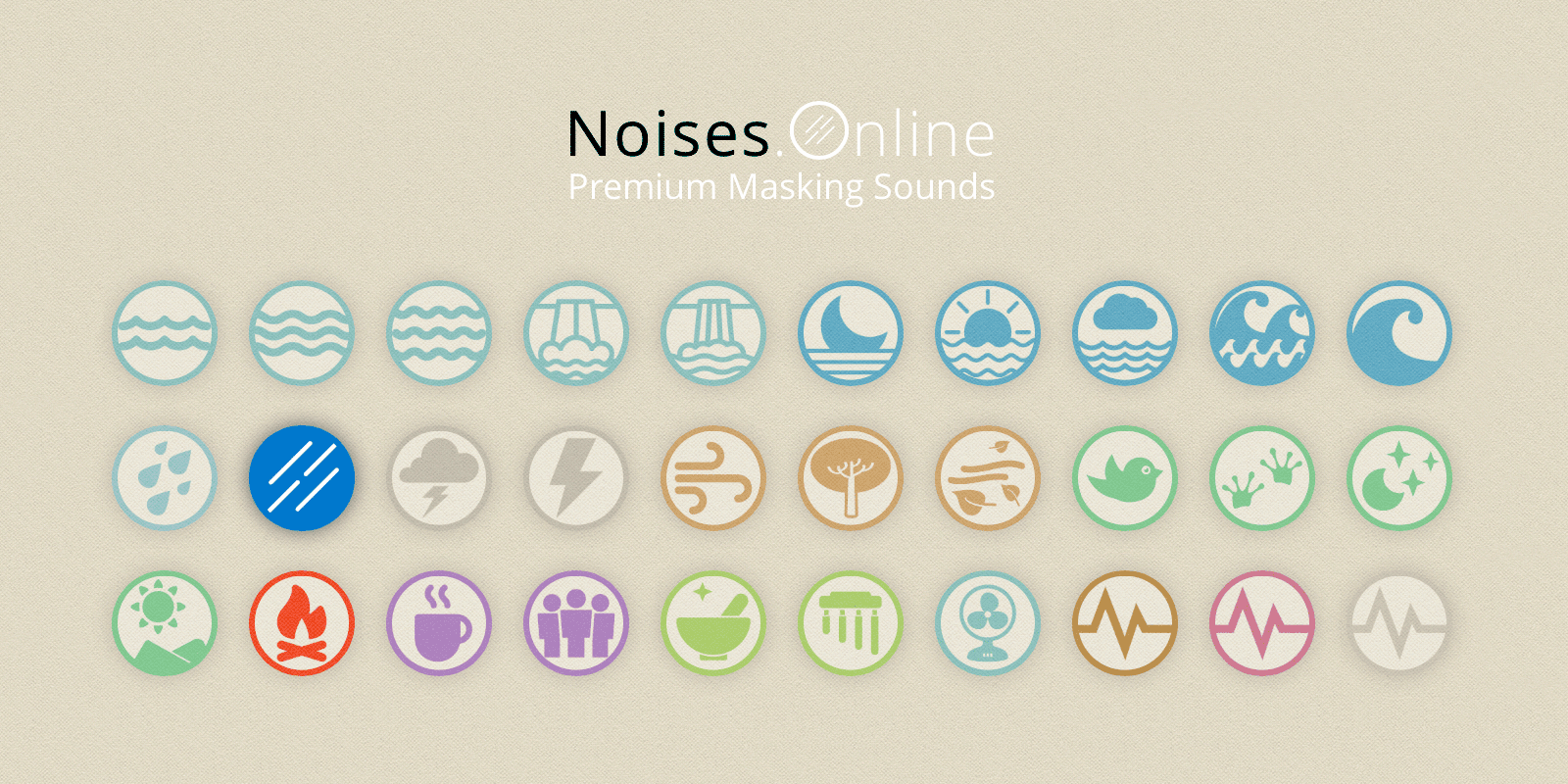
robots.txt (opens in a new tab)
HTTP 404No robots.txt found
Sitemaps
0No sitemaps found
Recent Updates
- Website images
- Screenshots
- Pages and Search Information
- Network details
- Website Technologies
- HTTP Response Information
- TLS and certificates
- DNS Information
- Domain Registration
- Website profile
- Website Description
- Website Name
- Website profile
- Website Description
- Website Name
User reviews (0)